
Hello Budget
Your expenses, in the chat you already have open.
What it looks like
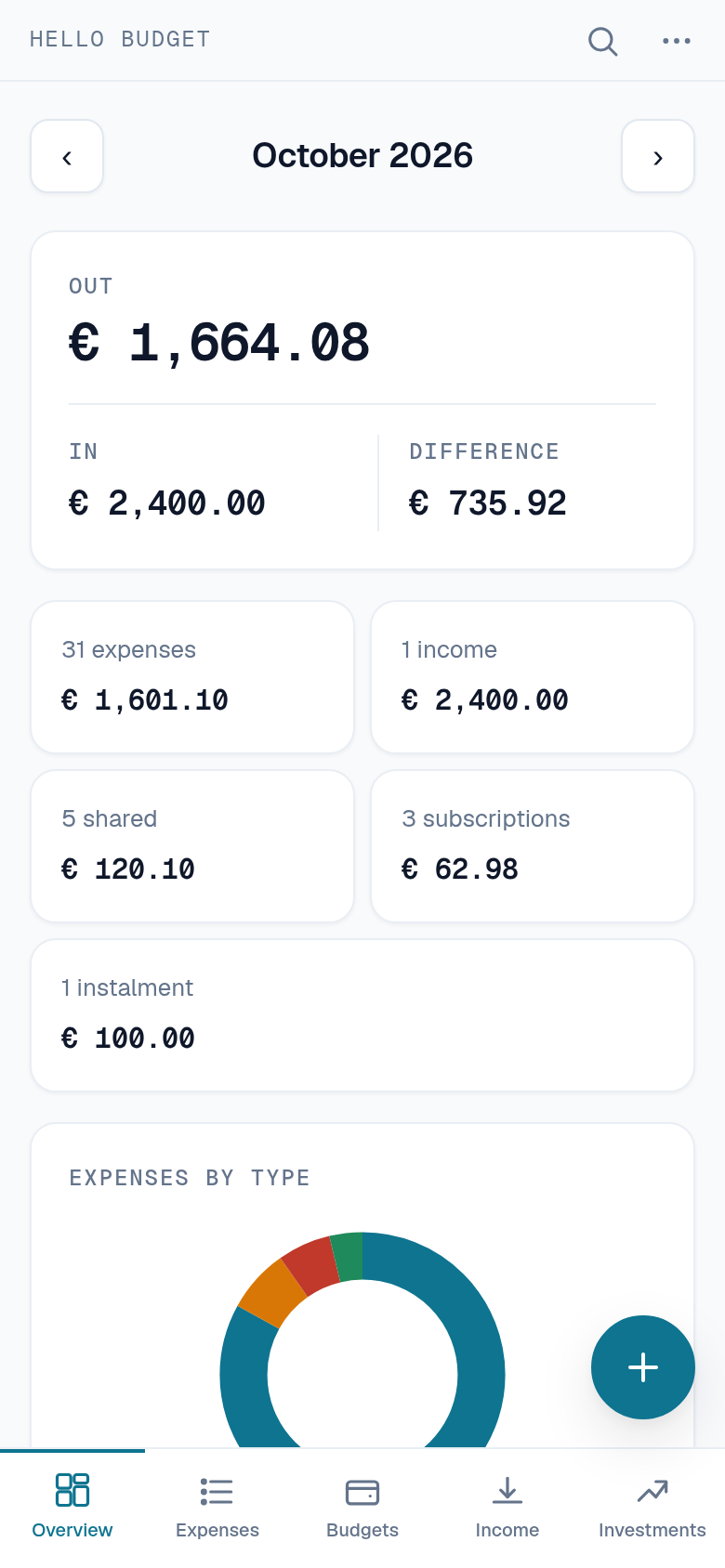
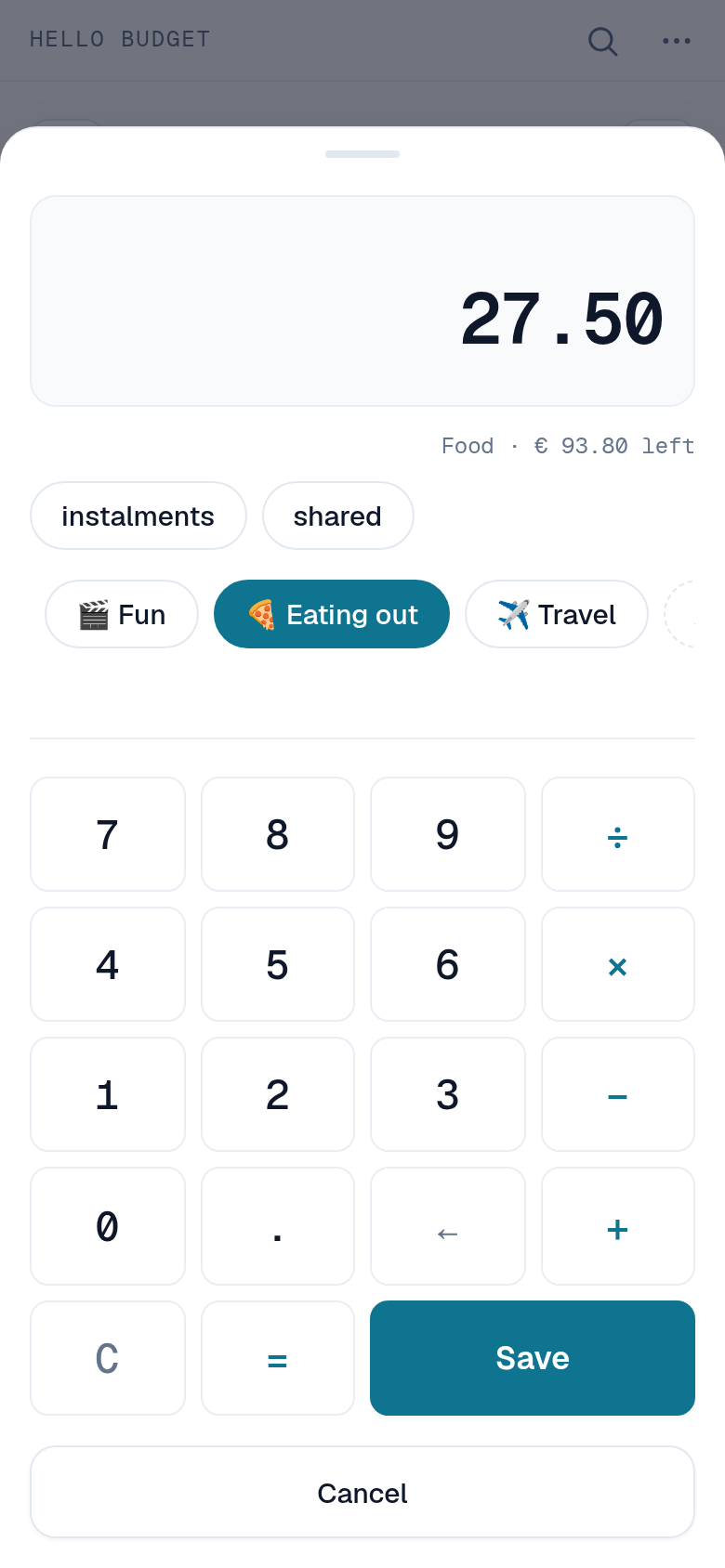
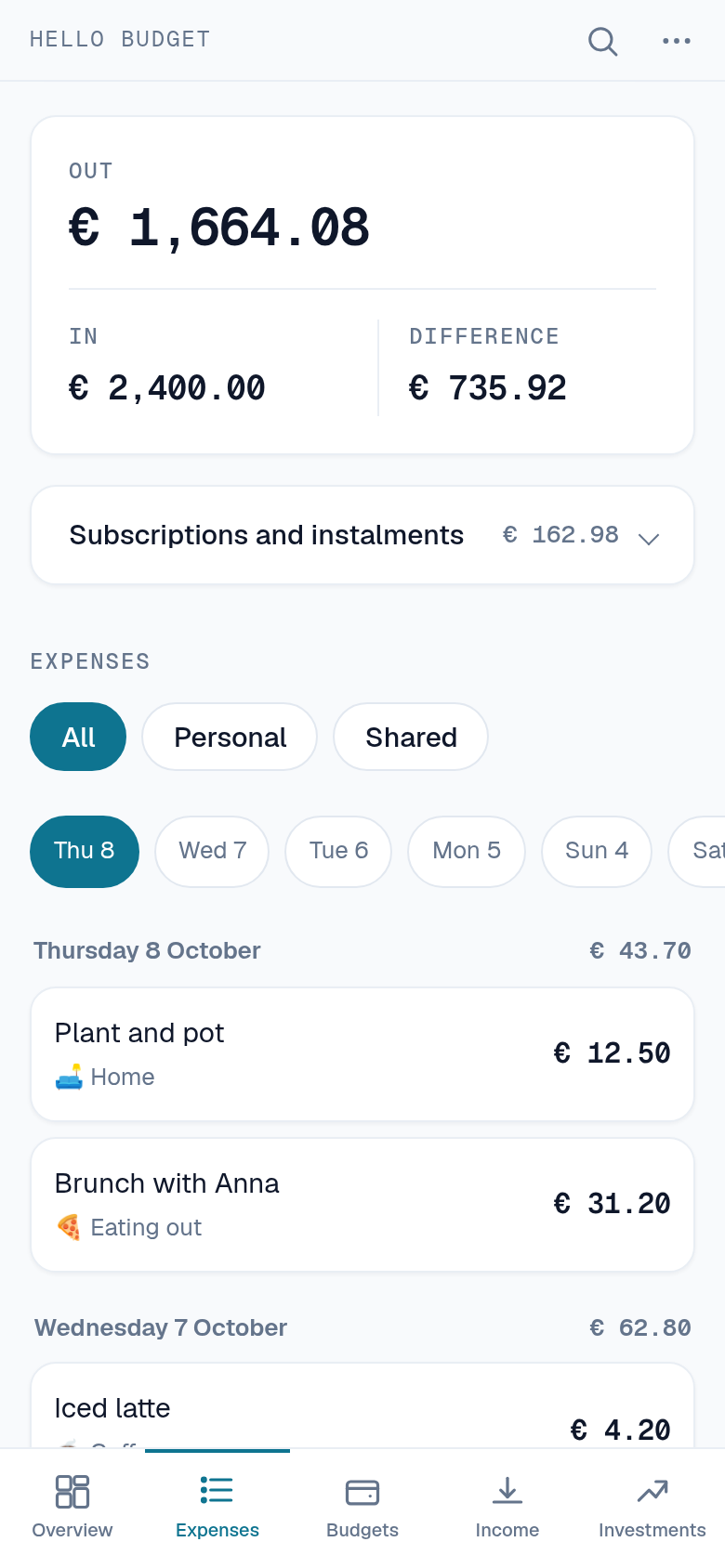
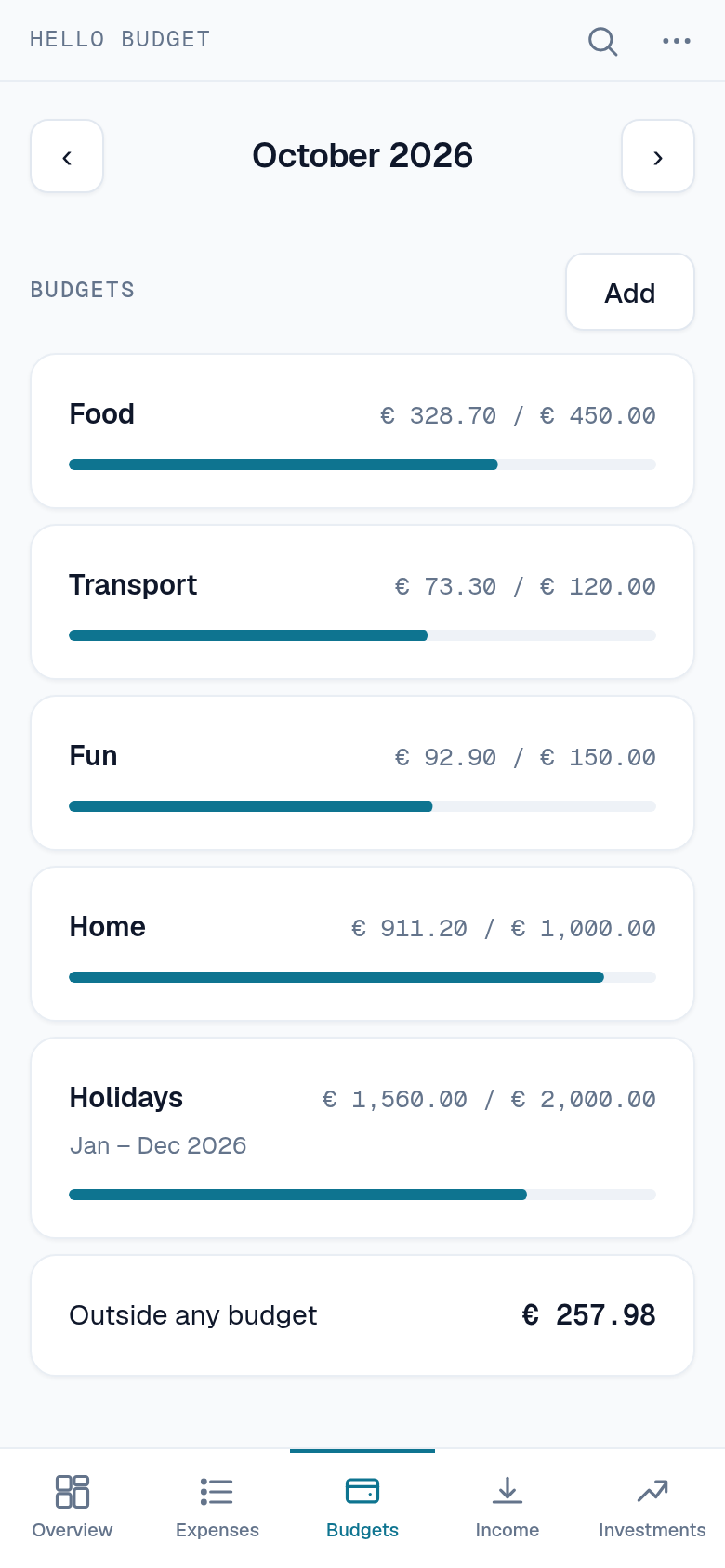
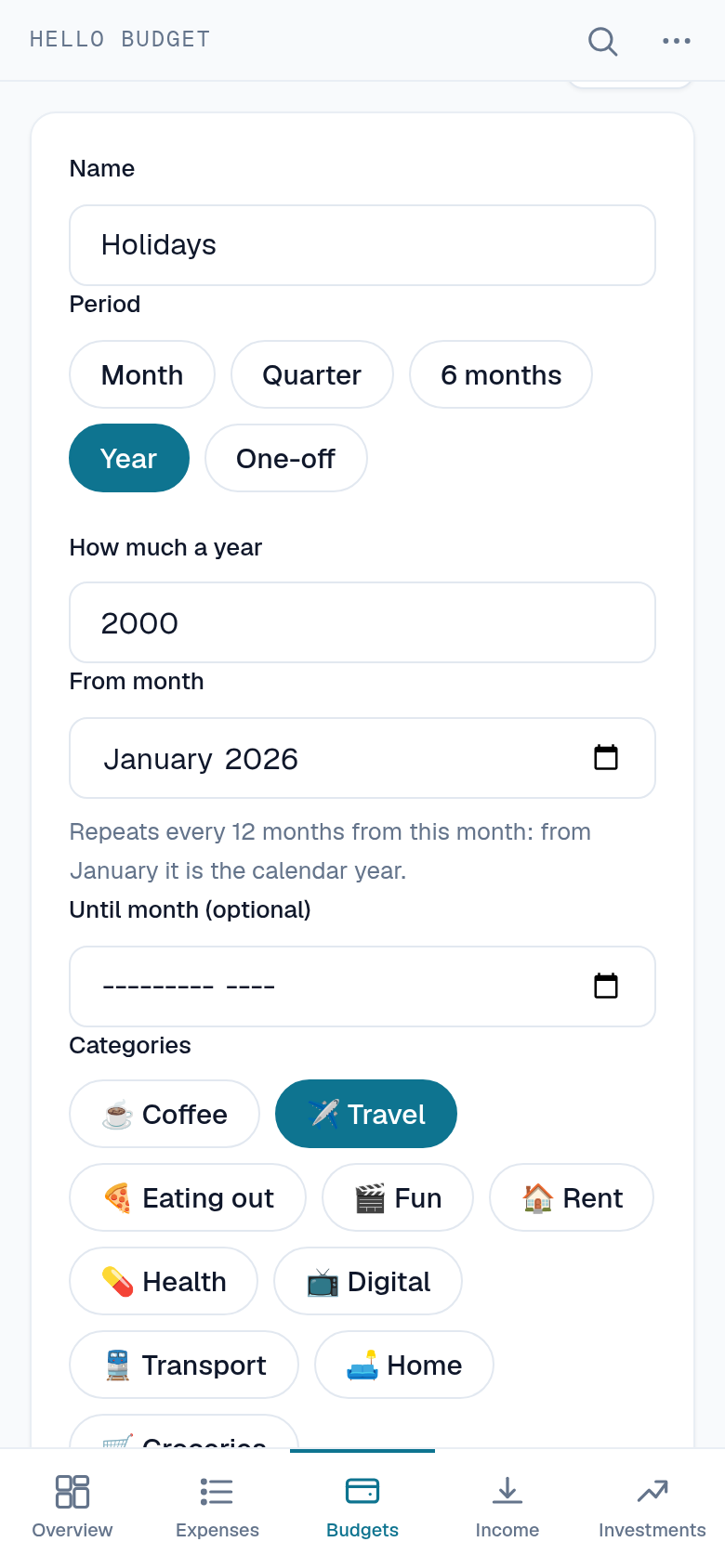
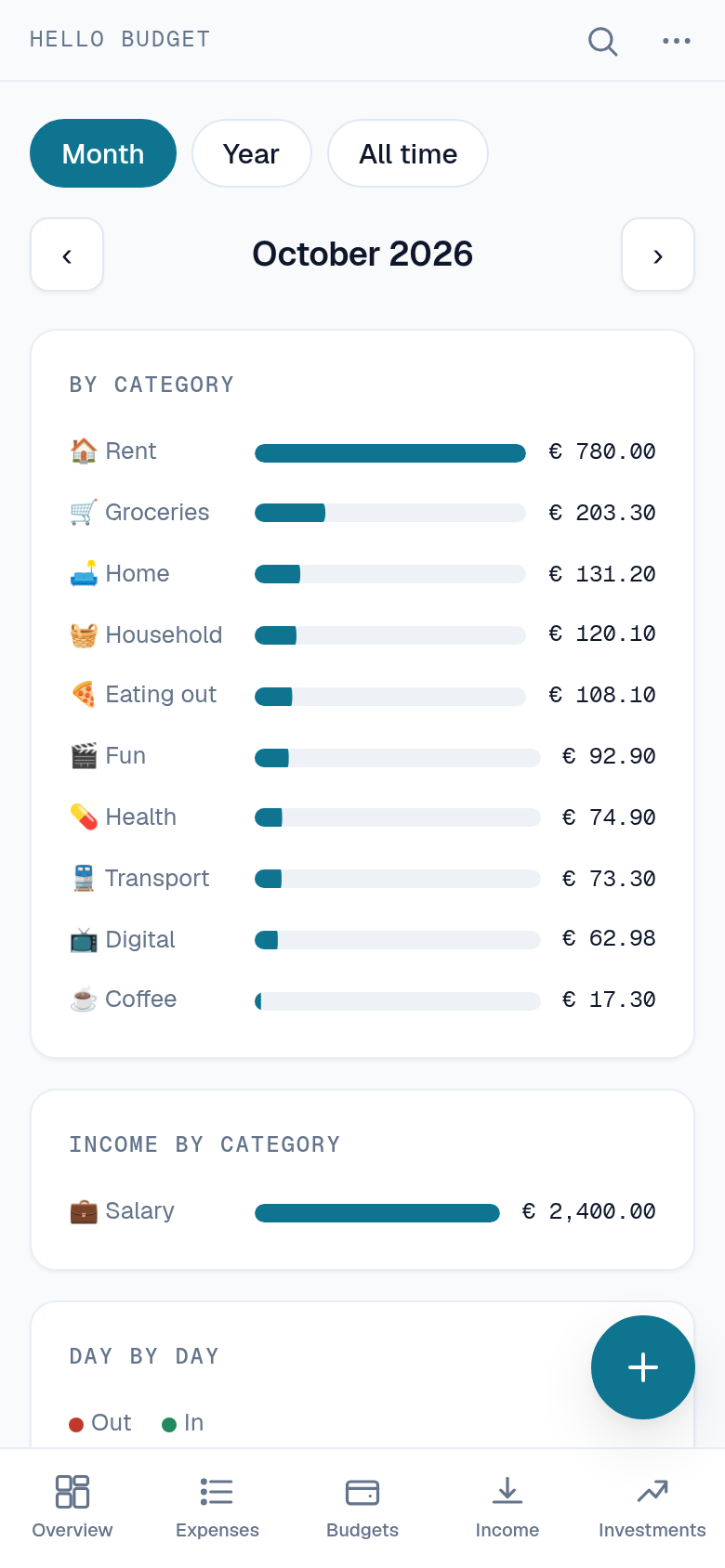
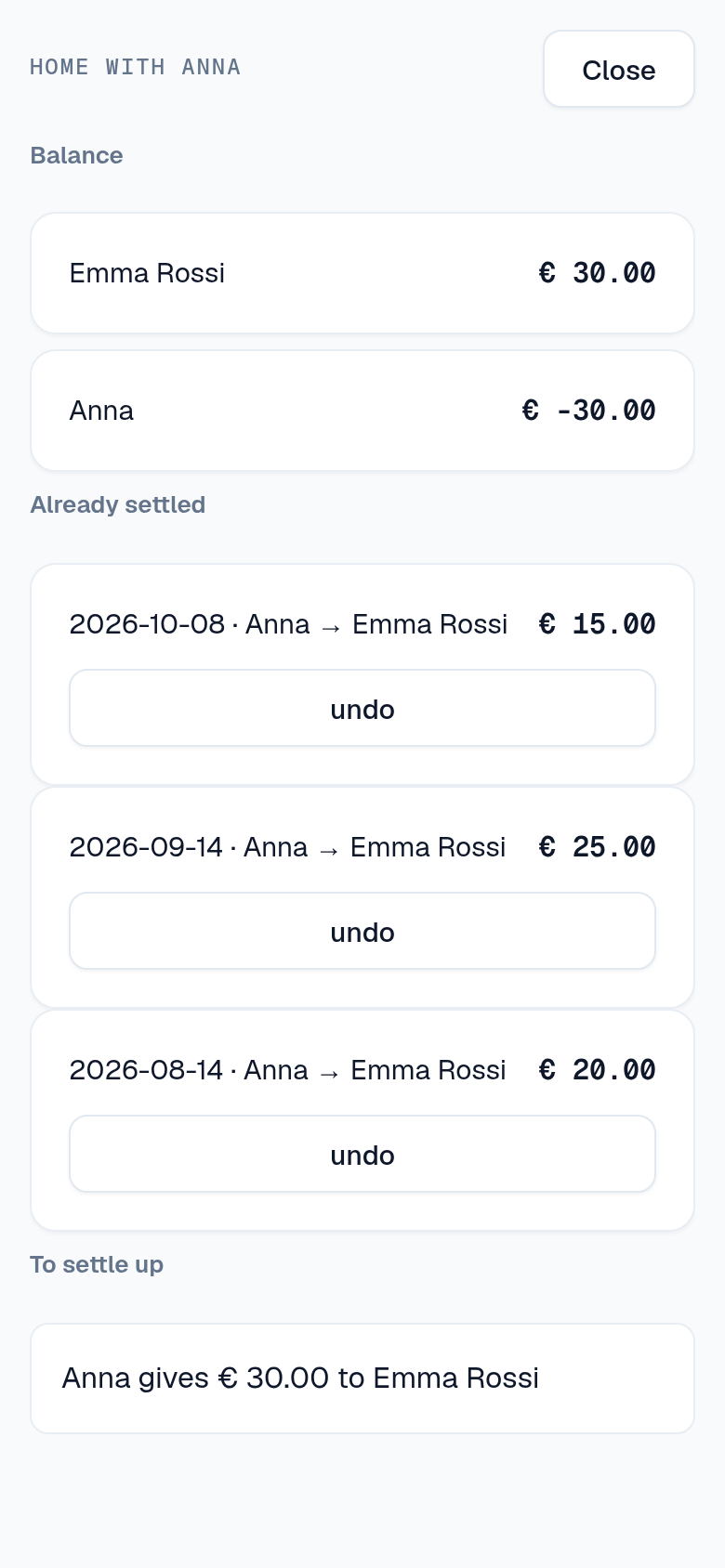
Hello Budget is a Telegram bot for tracking what you spend, your budgets and your subscriptions. There is nothing to install and no account to create: you open a chat, and the money you spent today is written down in the same place you were already typing.
Writing an expense down
An expense is an amount, a category and a date. The bot asks for them one screen at a time, with an on-screen calculator for the amount — because what you actually paid is often two prices added together, and doing that arithmetic in your head before typing is how a number ends up wrong.
Categories are yours to name. The bot can put twenty common ones in for you the first time, and you add, rename and delete them from there.
Paying over months
A sofa bought over a year is not a thousand euros in March. You write down the whole price — what is on the receipt, not the monthly share — and it is put away as one instalment per month, each dated to the month it belongs to, so the budgets of the months ahead see it coming.
- The price, not the shareAsking somebody to do the division before typing is how a number ends up wrong. The buttons show what each plan costs a month.
- The parts add upThe rounding goes on the last instalment, so twelve months of a price that does not divide evenly still come back to what you paid.
- One purchase, one line of quotaBuying something on credit does not cost you twelve months of the free plan. It is one thing bought.
Budgets that answer one question
A budget is a ceiling attached to a set of categories, over a stretch of time you choose. The dashboard answers the only question a budget is for: how much is left of it, right now.
- A month, or a year from MayA budget starts again every month, every three or six months, or every year, counted from the month you pick: a year from January is the calendar year, a year from May runs to April. An expensive January says nothing about February's budget.
- Or just onceA holiday from the 10th to the 24th of August is a budget with a first and a last day, and it is gone from the dashboard once it is over.
- The whole periodA yearly budget shows the whole year, instalments and renewals already on their way included, so March already knows about December.
- Any categoriesA budget covers the categories you put in it, and a category can sit in more than one.
- Subscriptions countedA monthly subscription is spent whether or not you thought about it, so it is taken off the budget the same way an expense is.
Subscriptions
Recurring costs are entered once and counted every month after that — monthly, yearly or daily, with a start and an optional end. A yearly one lands in the month it renews, not spread across twelve.
Money coming in
Knowing what you spent answers half the question. Whether a month worked out is the difference, and for that the bot has to know what arrived too: a salary, a refund, something sold, a gift.
- Once, or every monthYou say how often it arrives, and if it repeats, until when. A contract that ends in June stops counting in July on its own.
- What came in, what went outThree figures at the top of the month: in, out, and the difference between them.
- Your own income is freeA balance worked out without your salary would not be a smaller feature. It would be a wrong number.
Income has categories of its own and does not touch the budgets. A budget is a ceiling on what you spend, and a salary inside a ceiling would be the wrong ceiling.
Splitting with somebody
A shared account is a set of people who split what they spend, with a percentage each. Book an expense to it and it becomes one share for each of you: yours in your list and your budgets, theirs in theirs, with the row saying who actually paid.
- Nobody is added without saying yesAn invitation is a message with two buttons. Finding somebody else's expenses in your own list because they typed your username is not a feature.
- Two kinds of accountOne where the money leaves a joint pocket and nobody owes anything, and one where a person pays and the others give their part back.
- Deleting is honestAnybody in the account can delete a shared expense, and it goes for everybody: the other rows are the same expense, seen from the other side.
Income can be split the same way, with Pro: a rent received, a refund that came to one of you for everybody. Whoever received it writes it down once, and each of you finds their part in their own income, saying who received it.
On an account where one person pays and the others give their part back, it keeps the balance: what each of you put down against what was yours to pay, and the payments that would clear it — the fewest of them, not one per expense. Shared income counts the other way round: whoever received it holds the others’ parts, and owes them. Each of those lines is the button that records it. A repayment is a transfer and not an expense, because giving somebody their share back is not spending, and counting it as one would take it off a budget twice.
One expense can be split its own way — evenly, or all on one of you — instead of the way the account says, and the percentage it was divided by is kept with it, so correcting it later divides it the way it was agreed then. That choice is part of Pro; the free plan always uses the account’s own split.
Somebody else’s expense never counts against your own limits.
The Mini App
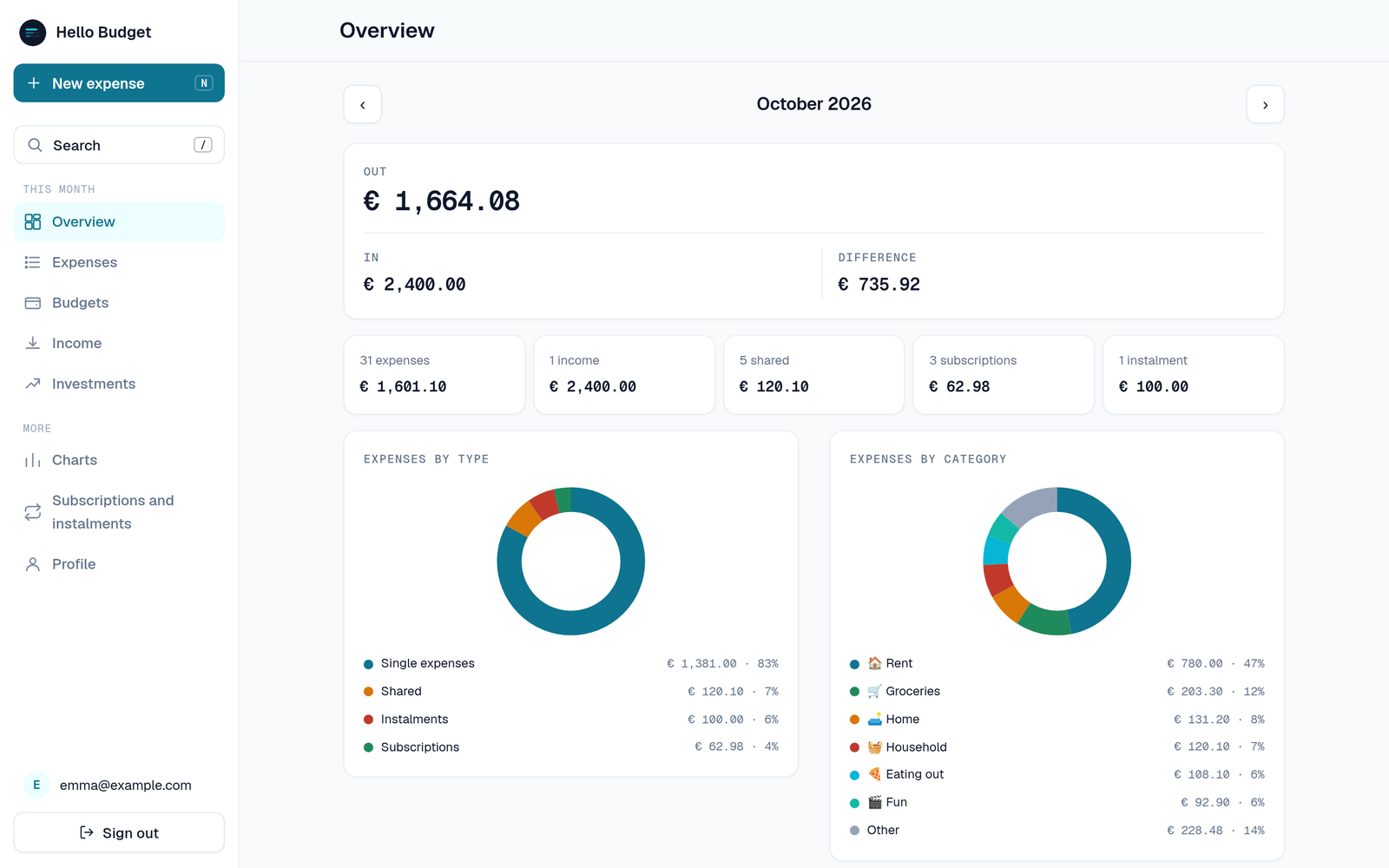
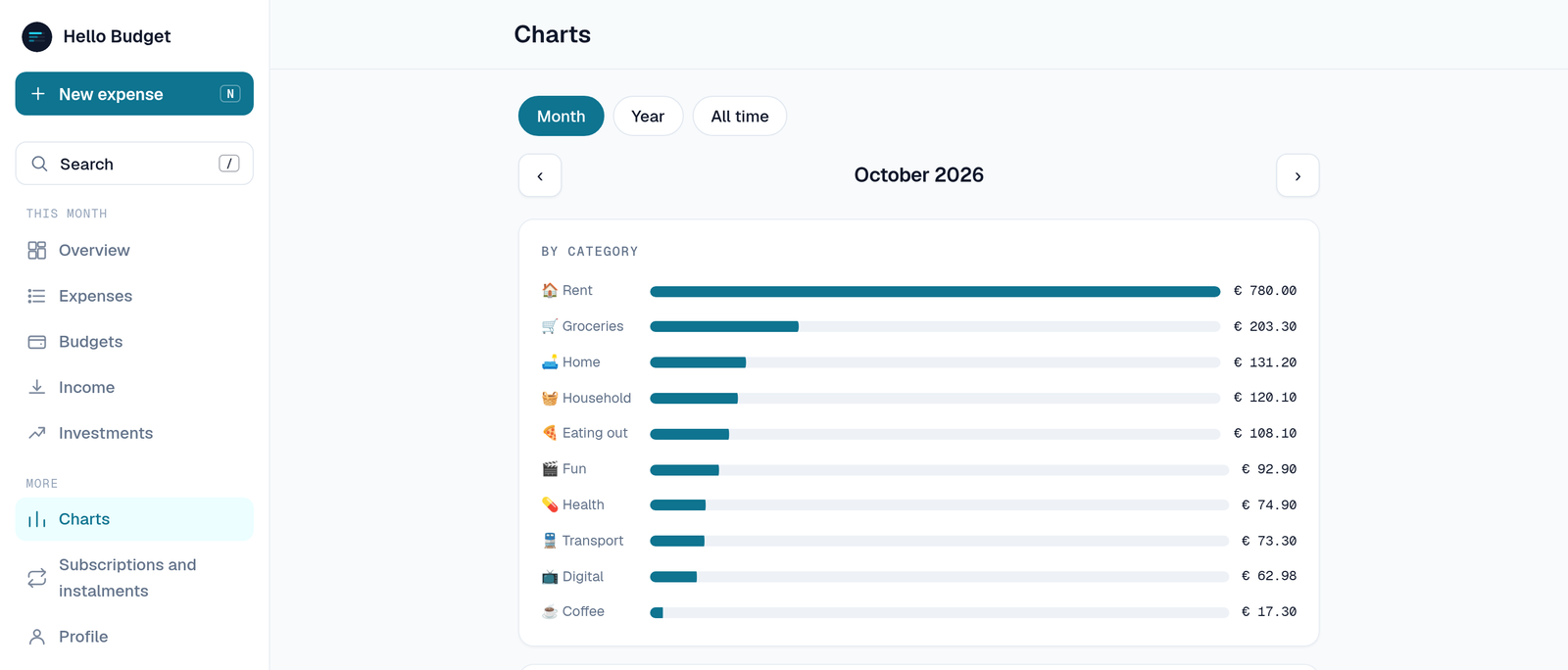
Some days a keyboard beats a conversation. The Mini App opens inside Telegram and shows the same data as the bot: the month’s expenses, the budgets with what is left of each, charts by category and across the last twelve months, and an add screen built around the calculator, with the categories and the dates as buttons rather than menus. Picking a category tells you which budget the expense is about to land in and what remains there once it has.
It is opened from the bot, and Telegram itself vouches for who you are. The same app also works on its own in a browser, at hello-budget-app.gpm.name: sign in with Google, with Telegram, or with a link sent to your email, and it is the same account and the same data as in the chat.
What is free, and what Pro is
Everything that makes the bot worth having is free: writing down expenses, categories, budgets, the dashboard, and the Mini App.
- FreeThirty expenses a month, the last three months of history, one budget, and one shared account of two people. Paying over months is free too, and so is your own income.
- ProNo limit on expenses, the whole history, any number of budgets, shared accounts and people in them, plus income split in a shared account, subscriptions, charts, CSV export, and a backup of everything sent to you once a month.
Pro comes two ways, both paid in Telegram Stars: 150 Stars a month, which renews itself and is cancelled from Telegram’s own settings, or 1500 Stars for twelve months, which is a single payment and does not renew — when it runs out you are back on the free plan, having been asked for nothing in the meantime.
Nothing is charged to a card and no payment details ever reach this bot: Stars is the only way Telegram allows digital goods to be paid for, and the bot is told that a payment happened, never how it was made.
When something is broken, or missing
Two things sit in the information section, in the bot and in the app alike.
The first is for saying something does not work. You write what you were doing and what happened, and it leaves with the exact build you were using attached to it — which is half of any answer, since by the time a report is read the app may already be three versions further on. What you sent stays where you can see it, with what became of it, because a report that vanishes feels like a report nobody read.
The second is a board. Propose something that is missing, or vote for what somebody else proposed; the most wanted are the ones that get built. Proposing something already on the board adds your vote to it rather than opening a second copy — a board carrying the same idea five times is a board where nothing wins.
Both are free. A limit on telling somebody their app is broken would be a strange thing to sell.
Getting your data in, and out
Expenses, budgets, subscriptions and income leave as CSV, and expenses come back the same way. The import takes what this site’s bot exports and what that becomes after a spreadsheet has been near it — semicolons, decimal commas, dates in the local order — because refusing those would mean refusing the only file anybody actually has. Lines it cannot read are listed with their line number rather than dropped in silence.
In an assistant
With Pro, Hello Budget can be connected to Claude, ChatGPT or any other assistant that supports MCP, so that you ask about your spending, or write something down, in the assistant’s own chat. The connection can be read only and is ended in Settings → Connected assistants. How to connect it.
Your data
The expenses live on one server, in Germany, and are used for nothing except answering your own questions about them. There is no advertising, and no third party has a copy unless you connect an AI assistant, and the bot, the Mini App and the web app carry no analytics. The privacy policy says exactly what is stored and what is not, and Settings → Delete all data empties it for good, from inside the bot, without asking anybody.
Frequently asked questions
What is Hello Budget?
Hello Budget is a Telegram bot that tracks your expenses, budgets, subscriptions and income, and can split costs with other people. It also has a Mini App inside Telegram and a web app for the browser.
How do I start using Hello Budget?
Open @hello_budget_bot in Telegram and press Start. There is nothing to install. To use it in a browser instead, go to hello-budget-app.gpm.name.
Do I need a Telegram account?
For the bot and the Mini App, yes: Telegram is how you are recognised, and there is no separate sign-up. The browser web app is the same account and the same data, and signs you in with Google, with Telegram or with a link sent to your email.
Is Hello Budget free?
Yes, the core is free: thirty expenses a month, three months of history, one budget and one shared account of two people. Pro removes those limits and adds subscriptions, income in shared accounts, charts, CSV export and a monthly backup, and is paid with Telegram Stars inside Telegram. See the terms.
What data does Hello Budget store, and where?
It stores your Telegram profile details, your expenses, budgets, subscriptions and categories, and whether Pro is active. Everything is on one server in Germany, with no advertising and no third-party copy unless you connect an AI assistant, and the bot, the Mini App and the web app carry no analytics. See the privacy policy.
Does it work in a group chat?
No. The bot answers in private chats only; to share costs you create a shared account and invite people to it, and nobody is added without accepting.
How do I delete my data?
Use Settings, then Delete all data, inside the bot: your expenses, budgets, subscriptions and categories are removed permanently and immediately. For anything else, write to apps@gpm.name. See the privacy policy.